Build a fantasy world
Estimated time: 60–90 minutes.
By the end, the Project will contain locations, factions, characters, world rules, and historical events, with Map, Relationship graph, Gallery, and Timeline views for consistency checks.
Before you begin
- Open an existing Scroll Project.
- Prepare a world-map image you are permitted to use, or begin with abstract coordinates and no background.
- Choose consistent naming rules for location hierarchy, faction tags, and historical dates.
Built-in templates are enough for this tutorial. Pro is required only if you need new stable properties, relationships, or visual structures.
1. Write three world constraints
Create a world-rules document and answer:
- What force or resource changes everyday life?
- Who can use it, and what does it cost?
- Which historical or institutional conflict is approaching a breaking point?
These constraints are more useful than an encyclopedia entry when deciding whether a setting detail serves the story.
2. Create locations and a Map
- Create at least five location cards for a region, city, important building, or natural landmark.
- Use Parent for location hierarchy and fill in Map coordinates.
- Create a Map saved view, choose the background, and select Fit pins.
- Open each pin and confirm its title, hierarchy, and coordinates.
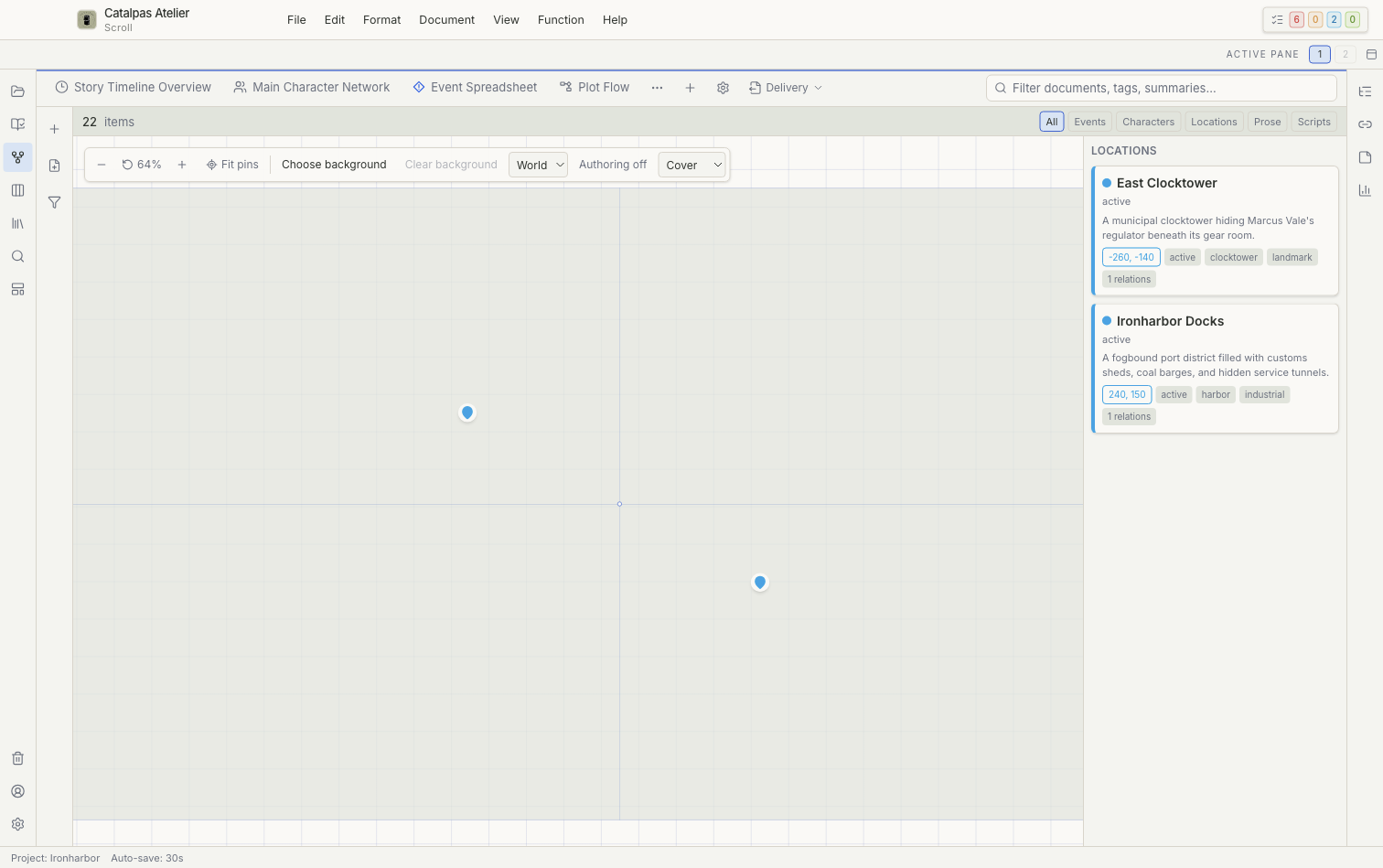
Moving a pin can update the card's coordinates. Before deleting a pin, read the confirmation message and check whether the location file will move to Trash.
3. Create factions and characters
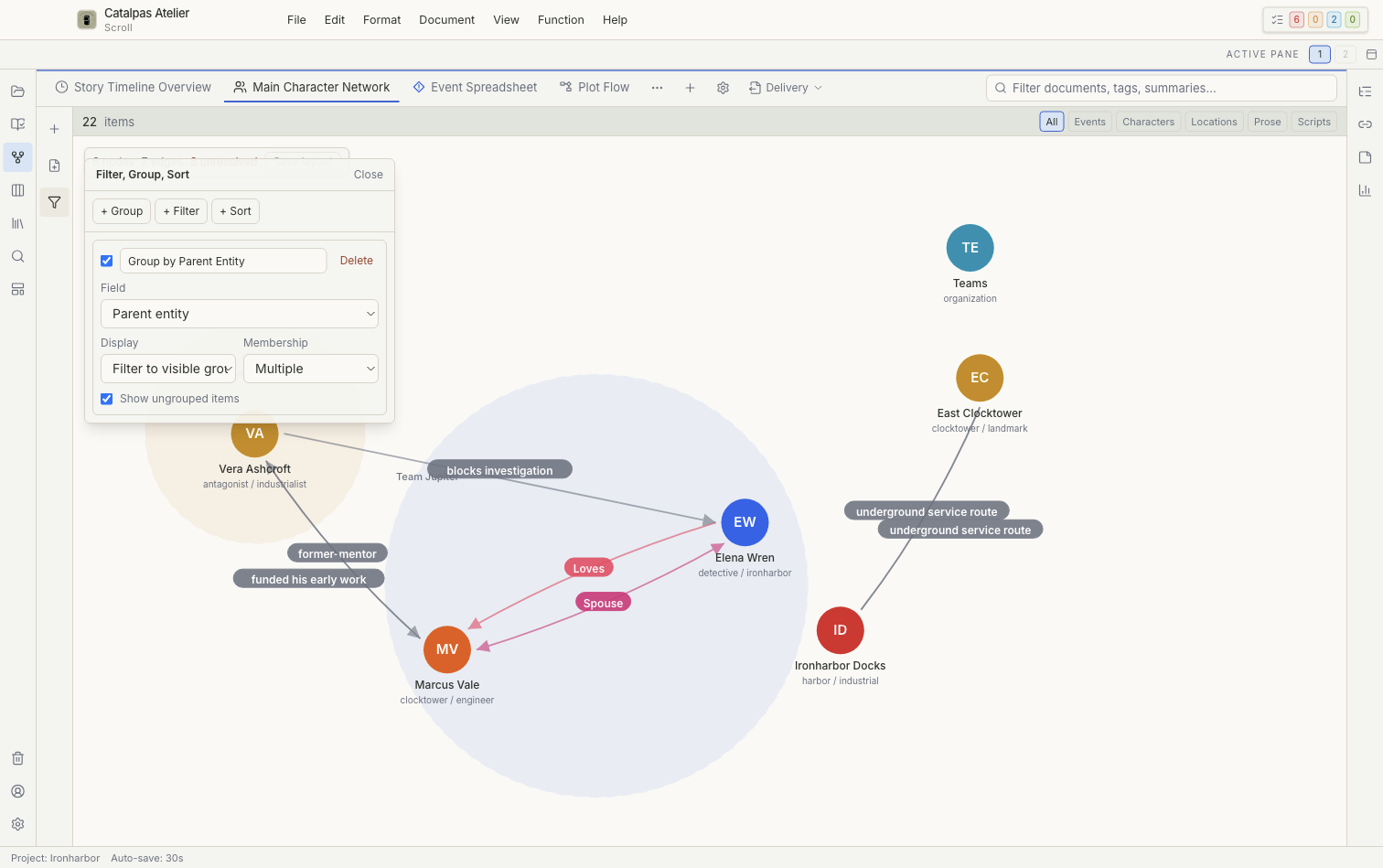
Create at least three organizations and five characters. Give each character a faction, goal, position, and current status, and use explicit relationships for membership, family, alliance, or conflict.
Create a Relationship graph that shows only the principal characters and factions. If the graph becomes crowded, narrow its filters instead of deleting accurate relationships to improve the layout.
4. Add historical events
Create at least five events: the world's origin, the establishment of a major institution, a war or disaster, a recent turning point, and the opening of the story. Use one consistent calendar. In Timeline, check character ages, faction lifespans, and plausible travel time.
5. Review the world in Gallery
Create separate Gallery views for characters and locations. Confirm that every card remains recognizable from its title and summary without an image. When it has an image, make sure the asset belongs to the Project rather than pointing only to a temporary external location.
6. Link the setting to prose
From a chapter, link to relevant characters, locations, organizations, and world rules. Review backlinks in Related. Prose links, explicit card relationships, and canvas connectors express different meanings and do not need to match one another exactly.
7. Verify the worldbuilding set
- Every important location opens from Map and has the correct hierarchy.
- Relationship graph has no obvious missing or contradictory explicit relationships.
- Timeline dates, character ages, and faction history agree.
- Character and location cards are easy to recognize in Gallery.
- Every important setting detail affects at least one character choice, conflict, or scene.
Next step
As drafting begins, follow Manage writing progress to turn chapters, research questions, and missing setting details into trackable tasks.