Spreadsheet, Gallery, and Calendar
These three views read the same Project records but emphasize different kinds of information.
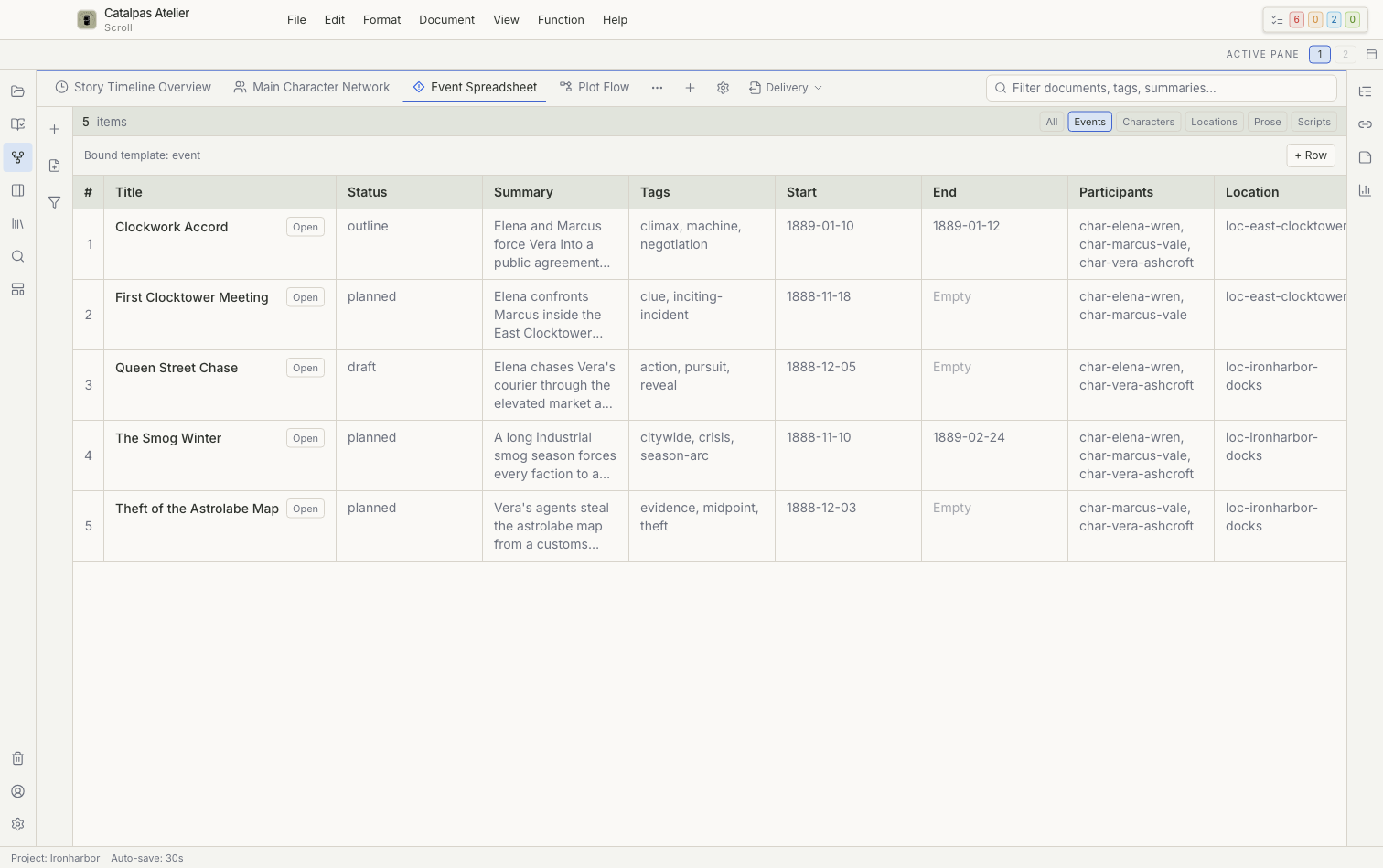
Spreadsheet
A Spreadsheet is bound to a card template and displays system fields and template properties as columns.
- Adding a row creates a corresponding record.
- Double-click an editable field to change it.
- Save or cancel the edit before leaving the cell.
- Press
Tabto move to the next editable position. - Calculated fields and fields that cannot be saved reliably remain read-only.
Deleting a row may move the corresponding record to Trash; it does not merely hide the row.
Gallery
Gallery prioritizes cover, avatar, or other image fields, followed by the title, summary, or selected columns. Without an image, it uses text or an initial as a placeholder.
You can group, filter, and sort Gallery through the saved controls. Double-click a card to open its local file. When there are more results than the view can display, narrow the filters if Scroll shows a limit notice.
Calendar
Calendar places records in a month view according to their primary or start date, with Previous, Today, and Next navigation.
- Records with an end date can span a range.
- Records without a date appear as unscheduled or remain outside the dated grid.
- Select an item with one click and open its record with a double-click.
Calendar does not currently reschedule records by dragging. Open the record and change its date field instead.
Choose a view
- Use Spreadsheet to compare and edit fields.
- Use Gallery to browse characters, places, or settings visually.
- Use Calendar to find crowded periods, missing dates, and monthly distribution.