Inspector
The inspector on the right displays the panels available for the active document.
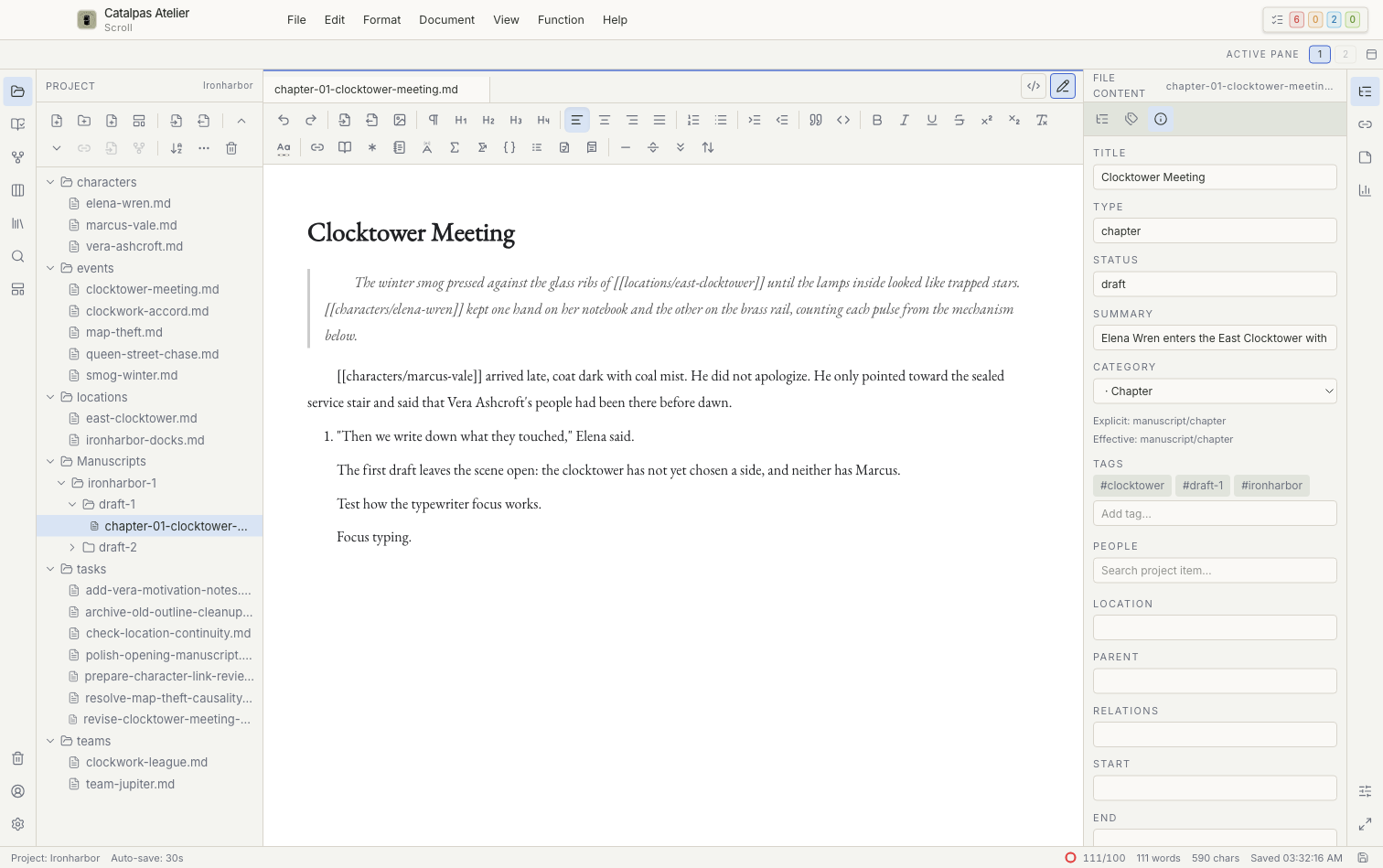
File Content
This panel shows the title, Category, Tags, file information, outline, and entry points for footnotes, endnotes, and references. Editable fields are saved with the Project; calculated statistics are normally read-only. General file information is available on every plan. Editing bibliographies, citations, and references blocks requires Pro.
Related Files / Related
Choose Related Files on the right rail; the open panel is titled Related. It lists explicit relationships, links from the prose, and backlinks. Before removing an item, confirm whether you are changing a relationship or a text link. Opening a related item only opens the corresponding local file.
Notes
Use one note for a short reminder or several notes for longer revision comments. Notes are part of the Project. When moving or backing up a Project, copy the entire folder, including hidden files and folders—not only the Markdown prose.
Stats
Stats shows word and character counts and goals for the active document and Project. Character count is often more useful for languages that do not separate words with spaces; word count is usually more useful for space-delimited languages.
Editor Appearance
Editor Appearance is available for supported text documents. These settings affect the writing environment. They are separate from Scribe Appearance and do not create a typeset PDF.
If a panel is empty
Confirm that the active tab contains a supported text file or card. After a large external change or in a large Project, Related Files and Project statistics may take a short time to update.