Story workspace overview
Story uses cards and saved views from the current Project to organize characters, locations, events, prose, and scripts. It does not duplicate those files or replace the text editor.
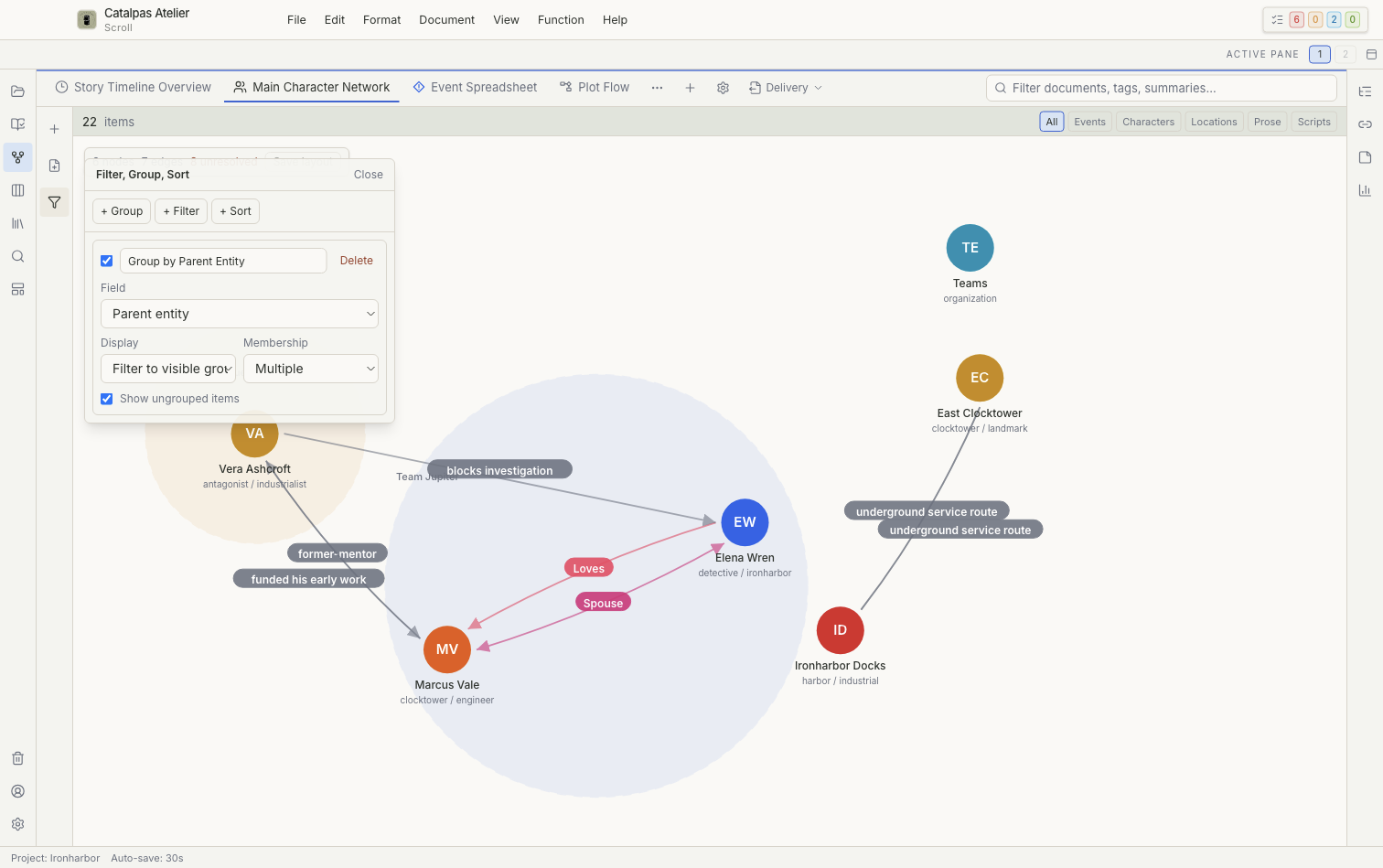
Page structure
- Pinned saved-view tabs: switch between frequently used views.
- Saved views: open unpinned views and manage their order, duplicates, or deletion.
- Create view: create a saved view.
- Configure view: change the name, icon, filters, and view-specific options.
- Left controls: save grouping, filtering, and sorting rules.
- Canvas: display the current view's results.
The 11 Story views
Story includes Timeline, Spreadsheet, Relationship graph, Subway, Mindmap, Gantt, Map, Gallery, Calendar, Whiteboard, and Flowchart. All 11 built-in views are included with Free.
Continue according to the type of view you need:
- Spreadsheet, Gallery, and Calendar
- Timeline, Gantt, and Subway
- Relationship graph
- Map
- Mindmap, Whiteboard, and Flowchart
Task boards and task lists are part of the Tasks workspace, not Story.
Data each view needs
Different views rely on different card fields:
- dates drive Timeline, Gantt, Calendar, and Subway;
- participants drive Subway and event relationships;
- locations and coordinates drive Map;
- explicit relationships drive Relationship graph;
- image fields improve Gallery; and
- Parent creates event hierarchies.
Selection and deletion
Selecting, zooming, and temporarily expanding items normally affect only the interface. Authoring modes, direct field edits, and some drag operations change the corresponding cards. Deletion can have a different result in each view, so read the confirmation message before continuing. See Data safety, Trash, and recovery for recovery boundaries.